
No Signal on Your Screen? How to Tell if Your PS5 Needs an HDMI Repair in Vancouver
PS5 HDMI issues, fix PS5 no signal, broken PS5 HDMI port, PlayStation 5 repair cost Vancouver, troubleshooting PS5 HDMI
Ramin
1/22/20262 min read
Introduction:
There's nothing more frustrating for a gamer than sitting down for a session only to be
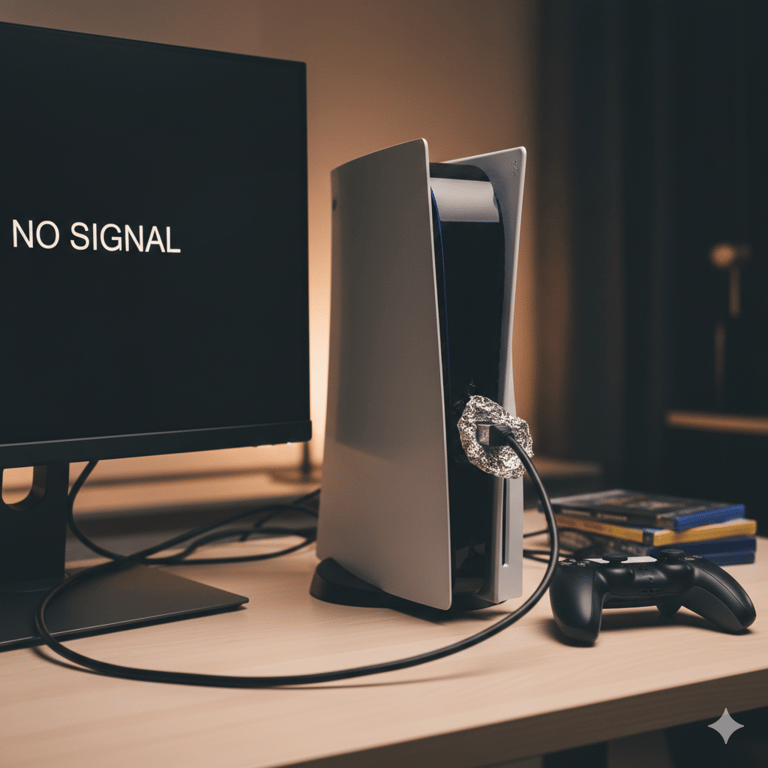
greeted by a "No Signal" message on the TV. If you own a PlayStation 5, a common
culprit behind this black screen nightmare is a damaged HDMI port. While it might seem
like a dire situation, it's often a fixable problem. Here at Computer 101 Vancouver, we
specialize in bringing your console back to life. But how do you know if it's truly the HDMI
port?
HDMI Port Damage: A Common PS5
Ailment
The PS5's HDMI port can be quite fragile. It's often damaged by:
Accidentally yanking the console with the cable still plugged in.
Forcing the HDMI cable in incorrectly.
Repeated plugging and unplugging causing wear and tear.
Pets or children pulling on cables.
Before You Panic: Quick HDMI Troubleshooting Steps
Before you assume the worst, try these simple checks:
Check the Cable: Try a different HDMI cable. A faulty cable is a very common cause of "No Signal."
Test Another Device: Plug another HDMI device (like a Blu-ray player or another console) into the same HDMI port on your TV to rule out a TV port issue.
Try Another TV Port: If you have multiple HDMI ports on your TV, try connecting your PS5 to a different one.
Restart Everything: Power cycle your PS5, TV, and any receivers you might be using. Unplug them for a minute, then plug them back in.
If you've tried all of the above and still have no luck, it's time to consider the HDMI port on your PS5 itself.
Definitive Signs Your PS5 HDMI Port is Damaged:
Visible Damage: Take a flashlight and carefully inspect the HDMI port on the back of your PS5. Do you see bent pins, a loose port, or any physical deformation?
Intermittent Display: Does the picture only show up if you wiggle the HDMI cable? Does it flicker or cut out randomly? This often points to a loose internal connection in the port.
Audio But No Video: In rare cases, you might get sound but no picture.
"No Signal" persists after all troubleshooting.
Why a Professional Repair is Crucial
Replacing a PS5 HDMI port isn't a DIY job. It requires:
Specialized soldering equipment.
Micro-soldering skills.
Knowledge of the PS5's internal components.
Attempting to fix it yourself can cause further damage to your expensive console.
Get Your PS5 Fixed by Vancouver's Experts
If you suspect your PS5 has a damaged HDMI port, don't throw in the towel! At Computer 101 Vancouver, we offer expert PS5 HDMI port replacement. Our certified technicians have the tools and experience to carefully replace the damaged port, test your console thoroughly, and get you back to your gaming adventures with a 90-day warranty.
Don't let a "No Signal" screen win. Contact us today for a free diagnostic and quote for your PS5 HDMI repair in Vancouver!
(604) 901 9799
https://computer101.ca/ps5-hdmi-replacement-vancouver-xbox-hdmi-replacement-delta-richmond-burnaby-downtown-gaming-console-hdmi-replacement


Your trusted partner for computer repair and IT solutions in Vancouver, Burnaby, Richmond, Surrey, Langley, West Vancouver, and Coquitlam.
Contact Information
Business Hours
Monday - Saturday 10:00 AM -7:00 PM
Sundays 12:00 PM - 5:00 PM


